The Problem
Ideas and to-dos show up at the worst moment: walking, driving, in the middle of something else. Most task apps make you decide right then where each thing goes, with which date and in which project, and that friction means many of them never get written down.
With AI Task Automation and Second Brain AI Assistant I had already solved voice capture on top of Notion for myself. Flux Task is the next step: a product of its own, for anyone, where capturing takes a second and organising happens later, calmly.
The Solution
Flux Task is a progressive web app (PWA) that runs in the browser and installs on a phone like any other app. It brings together what is usually spread across several tools:
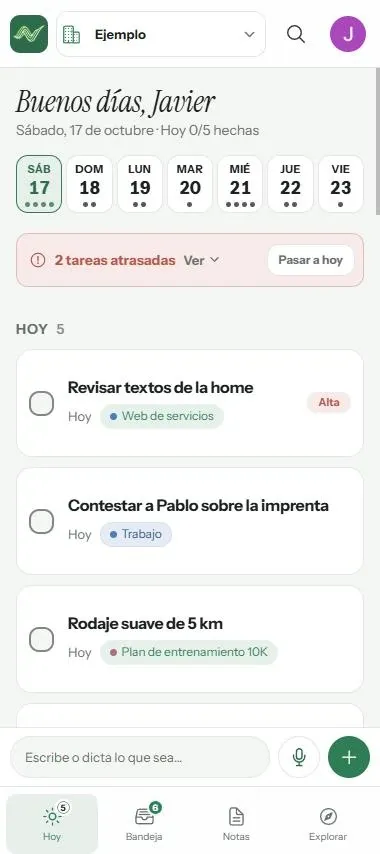
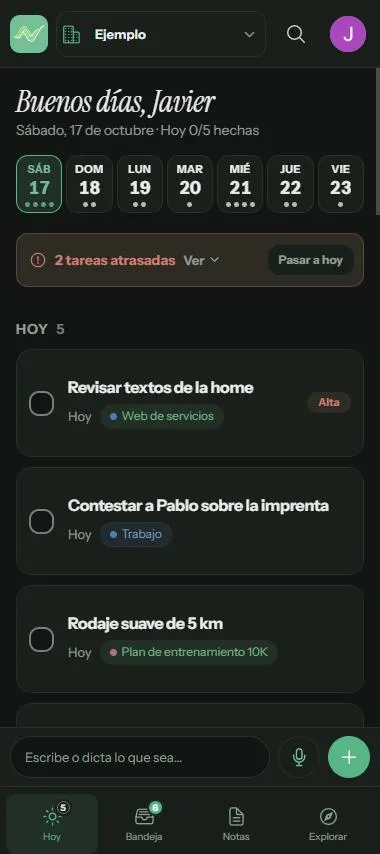
- Today: what’s due today, what’s overdue and the next few days at a glance.
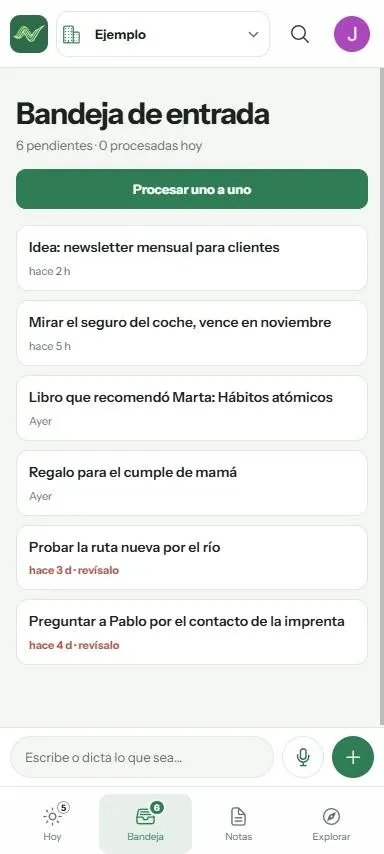
- Inbox: everything captured but not yet organised, to process one by one.
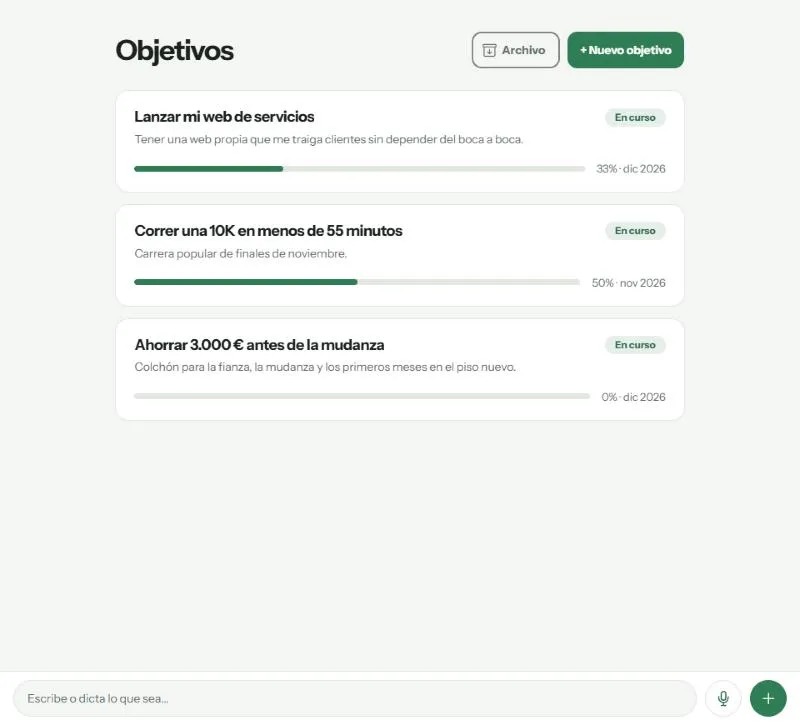
- Projects, goals and areas to give tasks context, and notes for what isn’t a task.
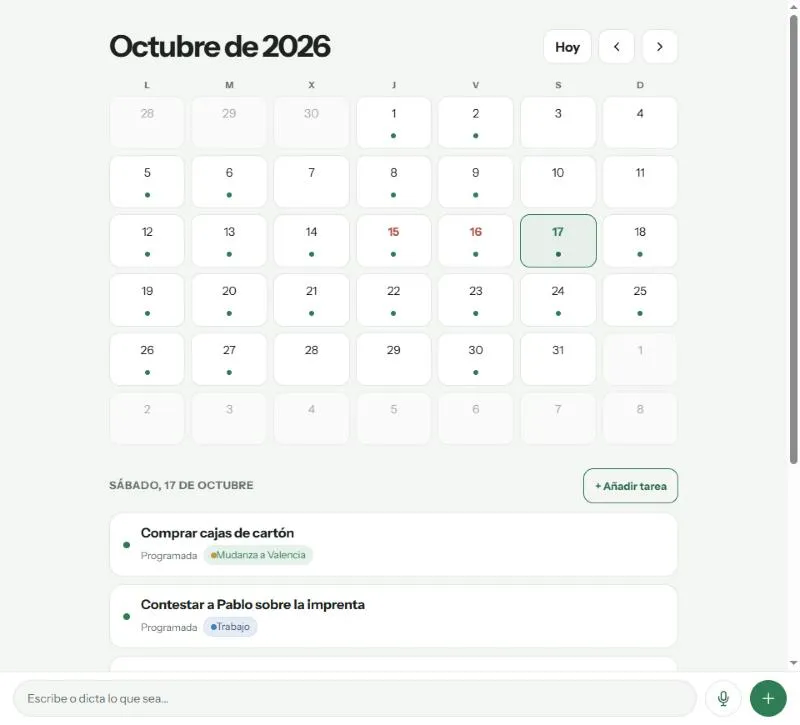
- Calendar, search and recurring tasks.
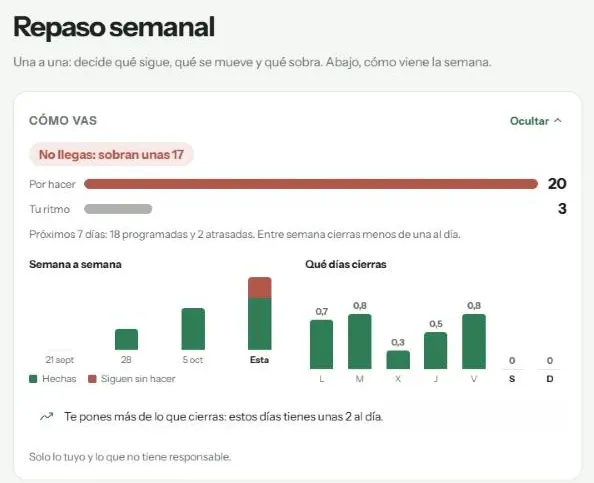
- Weekly review: decide what continues, what moves and what goes, with data on how the week is going.
- Personal and shared workspaces, with roles.
- A daily reminder push notification with the day’s tasks.
Voice Notes that Organise Themselves
The core piece: you dictate whatever is on your mind and the app turns it into organised items. One recording doesn’t produce one task but several items of different types: tasks, recurring tasks, notes and inbox captures.
- Recording in the app, offline too: the audio is stored and sent when the connection comes back.
- Upload of the audio to Supabase Storage, registering the capture as pending.
- A database trigger (
pg_net) notifies the n8n workflow with just the capture ID. - Transcription and classification with OpenAI in n8n: a router splits the content between four specialists, one per item type, which create the items directly in the database.
- Real-time update (Supabase Realtime): the app knows straight away and tells you what was created.
- Clean-up: recordings are deleted automatically after 7 days.
Built for Everyday Use
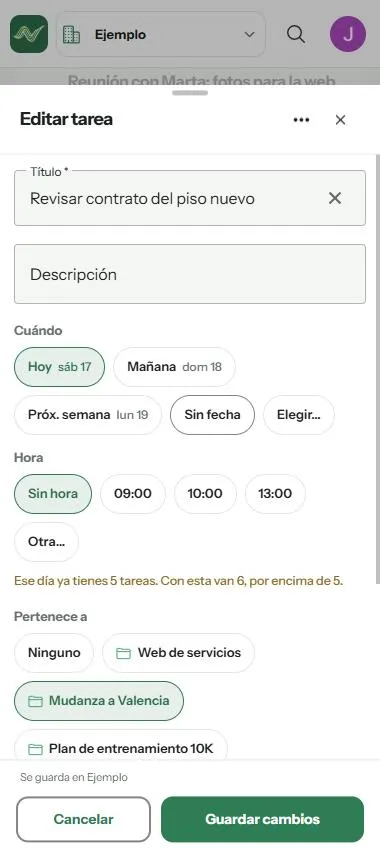
- Load warning when planning: when you pick a day for a task, the app shows how many that day already has and warns you if the new one goes over.
- Light and dark themes, with the same interface on mobile and desktop.
Stack and Architecture
- Frontend: Angular 20 with standalone components, Signals and
OnPush, and Ionic 8 for the mobile UI. PWA with Angular’s service worker. Spanish and English with a custom typed dictionary. - Backend: Supabase. Postgres with row-level security (RLS) on every table, Auth with Google (OAuth with PKCE), Storage and Realtime. The schema evolves through more than 70 versioned migrations.
- Scheduled jobs: Edge Functions for the daily web push reminder and the nightly clean-up, triggered by
pg_cron. - AI: self-hosted n8n workflow using the OpenAI API to transcribe and classify.
- Deployment: own VPS with Coolify, security headers with CSP, weekly encrypted backups and automated tests (Karma and Jasmine).
Technical Challenges
- Shared data without leaks: shared workspaces with roles, enforced in the database with RLS, not just in the UI.
- A reliable voice pipeline: retrying a note doesn’t duplicate what it already created, stuck captures are recovered automatically, and offline recording comes with a send queue.
- AI costs under control: a monthly voice note quota per plan and a global spending cap that pauses processing if exceeded.
- A real PWA on iPhone and Android: recording in each system’s format, Google sign-in from the installed app and new-version notices.
Result
- A complete product end to end, from idea to deployment, built and maintained by one person.
- Live at flux-task.javierm.es, in private beta with manual account activation.
- The evolution of my n8n automations: what started as personal workflows is now a multi-user app with its own database, security and cost control.